
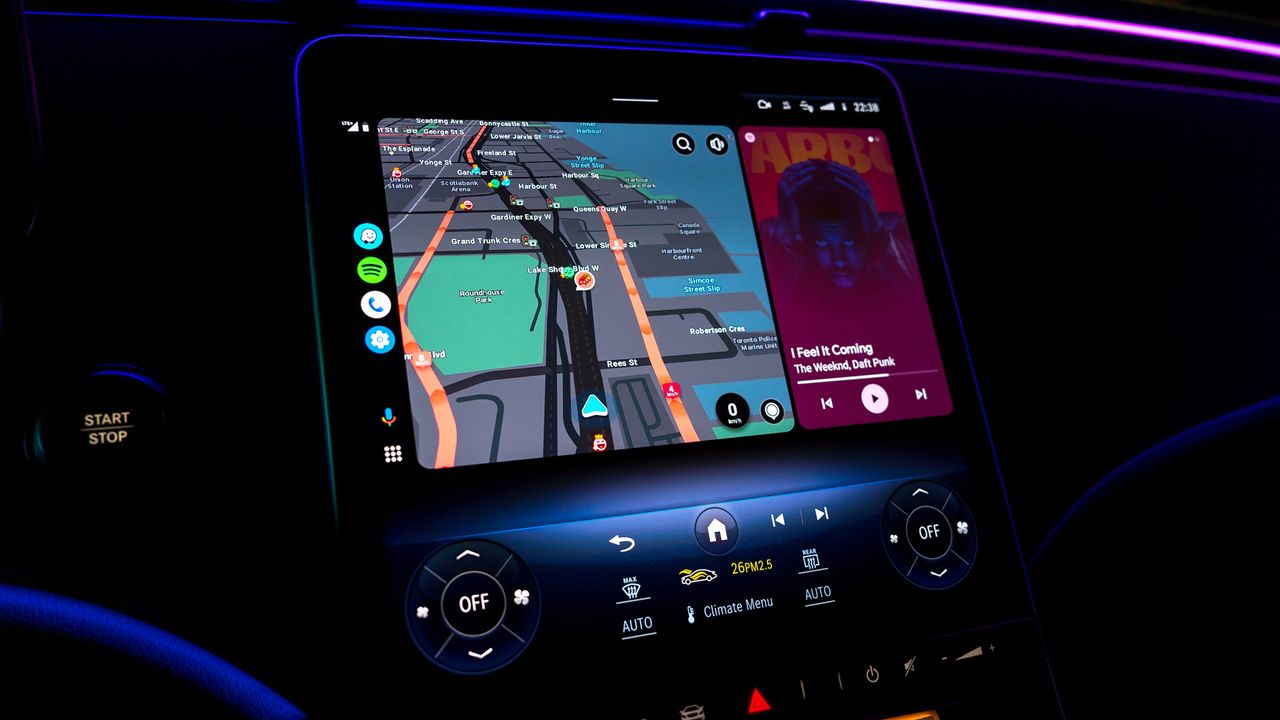
Android Auto vs. Android Automotive: 5 Major Things That Separate the Two
If you've ever shopped for a new car or browsed through infotainment options, you've likely come across two very similar-sounding names: Android Auto and Android Automotive. While both come from Google and both aim to make your driving experience smarter and more connected, they are fundamentally different technologies. Mixing them up is an easy mistake, but understanding the distinction could save you from a frustrating surprise after driving your new car off the lot.
In this article, we break down the five major differences between Android Auto and Android Automotive so you know exactly what you're getting — and what to look for — in your next vehicle.
What Is Android Auto?
Android Auto is a phone-projection platform developed by Google. It takes the interface from your Android smartphone and mirrors a simplified, driver-friendly version of it onto your car's built-in display. Think of it as a bridge between your phone and your dashboard. Without your phone connected — either via USB cable or wirelessly — Android Auto simply doesn't function.
Launched in 2015, Android Auto supports a range of apps including Google Maps, Waze, Spotify, Google Assistant, and many third-party messaging and audio applications. It has become one of the most widely supported in-car connectivity platforms in the world.
What Is Android Automotive OS?
Android Automotive OS (AAOS) is an entirely different beast. Rather than relying on a connected smartphone, Android Automotive is a full operating system built directly into the vehicle itself. It is essentially the car's native infotainment brain — running independently of any mobile device. Automakers license Android Automotive OS from Google and integrate it into the vehicle during manufacturing.
Volvo, Polestar, General Motors (via select models), Renault, and several other manufacturers have already adopted Android Automotive as their primary in-car OS. The system powers the entire infotainment stack, from navigation to climate controls to third-party app support.
1. One Needs Your Phone — the Other Doesn't
This is the single most important distinction between the two platforms. Android Auto is completely dependent on your Android smartphone. Plug in your phone (or connect wirelessly), and the interface appears. Disconnect it, and the experience disappears entirely.
Android Automotive OS, on the other hand, operates without any phone whatsoever. The system has its own processor, memory, and connectivity built into the car. You can leave your phone at home and still use Google Maps, stream music, or access your apps — because the car itself is the computing device.
2. App Availability Differs Between the Two Platforms
Because Android Auto is essentially a projection of your phone, it can access any Android Auto-compatible app you have installed on your device. The app ecosystem for Android Auto is broad and well-established, with thousands of supported third-party applications available through the Google Play Store on your phone.
Android Automotive OS has its own dedicated section of the Google Play Store, separate from the standard Android app store. App developers must specifically build and optimize their apps for Android Automotive, which means the available catalog — while growing steadily — is currently more limited than what Android Auto users can access through their phones.
3. System Updates Work Differently
With Android Auto, keeping the experience current is simple: update the Android Auto app on your phone through the Google Play Store, and you're done. Since the system lives on your smartphone, improvements and new features roll out to your car automatically as part of regular phone app updates.
Android Automotive OS updates, however, are managed by the automaker. Google provides the underlying OS updates, but it's up to each car manufacturer to test, validate, and push those updates to vehicles — often through over-the-air (OTA) delivery. This means the update frequency and speed can vary significantly depending on which brand built your car, and some manufacturers have been slower than others at rolling out new features.
4. Integration With the Vehicle Goes Much Deeper on Android Automotive
Android Auto is limited to what appears on the infotainment screen. It doesn't interact with your car's climate system, seat adjustments, drive modes, or vehicle settings. It is, at its core, a display overlay.
Android Automotive OS is woven into the vehicle's core architecture. Automakers can use it to control HVAC settings, display vehicle diagnostics, manage battery information in electric vehicles, and even integrate with advanced driver-assistance systems. This deep integration gives Android Automotive a much richer and more cohesive user experience — one that feels native to the car rather than borrowed from a phone.
5. Hardware Requirements Are Completely Different
Android Auto requires very little from the car itself — just a compatible head unit with a screen and either a USB port or Bluetooth/Wi-Fi for wireless connection. This is why it's available in vehicles that cost as little as $20,000 and can even be retrofitted into older cars with an aftermarket head unit.
Android Automotive OS requires significantly more capable hardware baked into the vehicle at the factory level — dedicated processors, onboard storage, and cellular connectivity. This makes it a feature found predominantly in newer, mid-to-high-range vehicles, and it cannot be added to a car after the fact.
Which One Is Right for You?
If you already own a car with a compatible screen or are buying an affordable new vehicle, Android Auto remains an excellent and widely accessible option. It's reliable, familiar, and constantly improving thanks to regular app updates.
If you're in the market for a new vehicle and want a fully integrated, phone-free smart car experience, look for models that run Android Automotive OS. The experience is more seamless, more powerful, and represents the clear direction the automotive industry is heading.
Understanding these five distinctions — phone dependency, app availability, update management, vehicle integration, and hardware requirements — gives you the knowledge to make an informed choice the next time you're sitting in a showroom or configuring a new car online. Both platforms are excellent in their own right; the right pick simply depends on what you need from your drive.