
Apple's Child Safety Features Are Improving — But They're Not a Silver Bullet
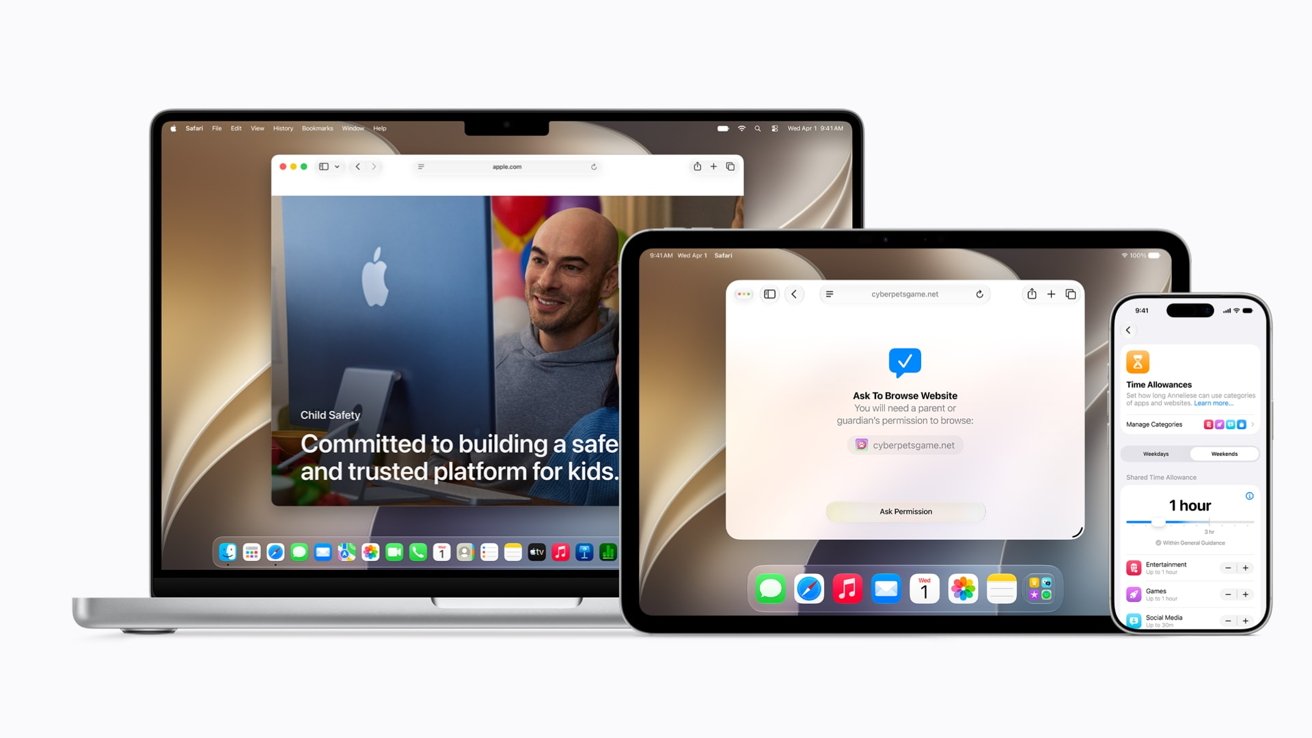
At WWDC 2026, Apple devoted a full 30 minutes to one of the most important topics in consumer technology today: keeping children safe online. The company unveiled a series of significant updates to its Child Accounts system, rolling out improvements to iPhone, iPad, and Mac that are designed to give parents more control and give kids a safer digital environment. It's a meaningful step forward — and, in many places, a legally required one. But as thorough as these updates appear on the surface, no parental control system is only as strong as its weakest link. So before parents breathe a collective sigh of relief, it's worth taking a hard look at what these features actually do, and where they still fall short.
What Are Apple's New Child Safety Features?
Apple's latest updates center on its Child Accounts framework, which allows parents and guardians to set up managed profiles for users under 18. Through Screen Time and Family Sharing, parents can restrict content, set communication limits, schedule downtime, and monitor usage across Apple devices. The WWDC 2026 announcements build on this foundation with several new tools aimed at tightening oversight and making the overall experience more seamless for families.
Among the key additions are expanded communication safety features, more granular content filtering, improved age verification mechanisms, and tighter integration across the Apple ecosystem. The goal is to reduce the friction that previously made parental controls inconsistent or easy to circumvent — a real problem that many families have encountered firsthand.
Communication Safety Gets Smarter
One of the more notable improvements is to Apple's Communication Safety feature, which was first introduced in iOS 15.2. This tool uses on-device machine learning to detect sensitive images in Messages and warn children before they view or send such content. The 2026 updates appear to extend this capability further, widening the net of what can be detected and flagging potentially unsafe interactions more proactively. Because the detection happens on-device, Apple maintains that user privacy is preserved — no images are sent to Apple's servers for analysis.
Screen Time and Downtime Enhancements
Screen Time remains the backbone of Apple's parental control suite, and the new updates make it harder for tech-savvy kids to work around its restrictions. Parents now have more robust tools to prevent children from changing device settings, deleting apps, or disabling controls without parental approval. The updates also introduce more intuitive dashboards, making it easier for parents to understand how their children are spending time across apps and websites.
Age Verification and App Store Restrictions
Apple has also moved to strengthen age verification at the App Store level, in part because of increasing regulatory pressure in markets like the European Union and the United States. Developers are now required to more clearly disclose age ratings, and Apple's review process is under renewed scrutiny to ensure that apps marketed to children meet stricter content standards. This matters because one of the most common ways children access inappropriate content is through apps that are technically rated for older audiences but are easy for younger users to stumble upon.
Why These Features Still Fall Short
Here's the uncomfortable truth that Apple — and any technology company — has to grapple with: parental controls are only effective when they are consistently applied, fully understood, and used across every device a child has access to. That's a far higher bar than it sounds.
The Multi-Device Problem
Apple's tools work well within the Apple ecosystem. But most children do not live exclusively in that ecosystem. A child might use a school-issued Chromebook, a friend's Android phone, or a gaming console that connects to the internet. Apple cannot control what happens on those devices, and a child who knows how to get around restrictions on one platform will find ways to access content regardless of how locked-down their iPhone is.
Parental Engagement Is Non-Negotiable
Technology can assist parents, but it cannot replace them. Many of Apple's best safety features require active setup, regular monitoring, and ongoing conversations between parents and children about digital behavior. Research consistently shows that children whose parents talk openly about online risks are better equipped to navigate them safely — not because of any app or setting, but because of trust and communication. A perfectly configured Screen Time profile does very little if a child has never been taught why certain content is harmful or how to respond when they encounter something disturbing online.
Determined Kids Will Find a Way
Adolescents are resourceful. VPNs, alternative browsers, private messaging apps, and simple workarounds like using a friend's device are well within reach of most teenagers. Apple's improvements raise the floor — they make accidental exposure less likely and casual circumvention harder — but they do not raise the ceiling high enough to stop a motivated teenager from accessing what they want to find.
The Regulatory Pressure Behind the Updates
It's worth noting that Apple's renewed focus on child safety is not happening in a vacuum. Legislation in the United States, the UK, and the European Union is increasingly mandating that technology platforms take demonstrable steps to protect minors online. Apple's WWDC 2026 announcements can be read partly as a proactive response to this regulatory momentum — getting ahead of requirements rather than scrambling to comply after the fact. That's smart business, and it does result in real improvements for families. But it also means that the scope of these features is shaped as much by legal requirements as by a comprehensive vision of child safety.
What Parents Should Actually Do
Given all of the above, what's the most practical advice for parents navigating Apple's new tools? A few key steps make a real difference:
- Set up Family Sharing and Child Accounts properly from the start, rather than relying on default settings that may not reflect your family's needs.
- Enable Communication Safety across all Apple devices your child uses, and check back regularly as your child grows and their usage patterns change.
- Have regular, age-appropriate conversations about online safety, not as a lecture but as an ongoing dialogue about what your child is seeing and experiencing online.
- Recognize that no single platform's tools can cover every device or every situation — a layered approach that includes education, open communication, and technical controls is always more effective than any one method alone.
The Bottom Line
Apple's expanded child safety features represent genuine progress, and families with children using Apple devices will be better protected in 2026 than they were a year ago. But progress is not the same as a solution. Online safety for kids is a moving target, shaped by rapidly evolving technology, shifting social norms, and the ingenuity of young people who will always find new ways to connect with the world around them. Apple's tools are one important layer in a larger protective framework — but they were never designed to be the whole answer, and parents should not treat them as if they are.