
Adobe Is Bringing AI Agents to Creative Cloud — And Creatives Should Pay Attention
Artificial intelligence has had a complicated relationship with the creative community. Many designers, video editors, photographers, and illustrators have voiced genuine concern — and sometimes outright frustration — about AI being used to replace or imitate human-made art. But Adobe's latest move is something altogether different. Rather than attempting to generate creative work on behalf of artists, Adobe is deploying AI agents specifically designed to eliminate the most mind-numbing, time-consuming administrative tasks that bog down creative professionals every single day. This is not AI doing the art. This is AI doing the chores.
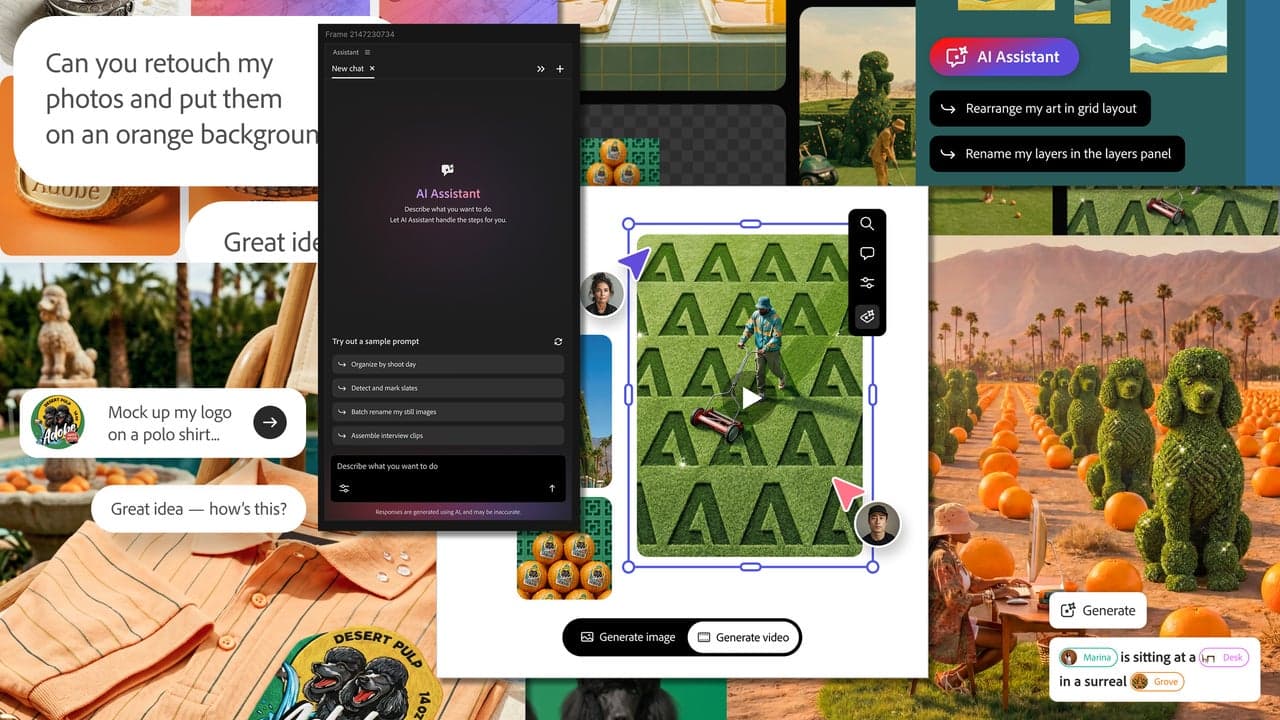
Adobe has begun a public testing phase for a new suite of AI-powered agents across its flagship Creative Cloud applications, including Premiere Pro, Photoshop, Illustrator, InDesign, and Frame.io. An additional iteration targeting After Effects is currently in private beta, with a broader release expected to follow. The rollout marks a significant and thoughtful pivot in how Adobe is positioning artificial intelligence within its ecosystem — not as a creative replacement, but as an intelligent workflow assistant.
What Exactly Are Adobe's AI Agents?
At their core, Adobe's new AI agents are autonomous assistants capable of executing complex, multi-step workflows without requiring constant manual input from the user. Think of them less like a chatbot and more like a highly capable production coordinator who knows exactly where everything belongs and how to get it there — fast.
These agents operate inside the applications creatives already use, listening for instructions and then carrying out sequences of tasks that would otherwise require dozens of clicks, careful file management, and a significant investment of focused time. The goal is to free up mental bandwidth so that creative professionals can spend more energy on the work that actually requires human imagination and judgment.
Premiere Pro: The Most Dramatic Demonstration Yet
Perhaps the most jaw-dropping example of what these agents can do has come out of Premiere Pro. Observers watching early demonstrations have described the experience as genuinely awe-inspiring — and that word is not used lightly in a field accustomed to incremental software updates.
In one documented demonstration, an AI agent was given a pile of randomly named video, audio, and graphic files — the kind of disorganized media dump that any working video editor knows all too well. From that starting point, the agent took over entirely. It renamed and tagged footage using computer vision to understand what each clip actually contained. It then built a full project structure from scratch, synchronized footage from multiple cameras, set up an initial cut for a video interview, and placed everything in the correct position within the editing timeline.
Tasks that could consume hours of a video editor's day — especially at the start of a new project — were completed automatically, accurately, and without a single nested menu being clicked by a human hand. For anyone who has ever stared down a folder of 300 unlabeled clips and felt their soul leave their body, this is not a minor convenience. It is a fundamental transformation of how a project begins.
Why This Approach Is Different From Other AI Tools
The broader conversation around AI in creative industries has often centered on generative tools — systems that produce images, videos, or text from a prompt. These tools have sparked fierce debate about authorship, originality, and the economic impact on working creatives. Adobe's agent-based approach sidesteps that debate almost entirely by targeting a completely different category of work.
No one is emotionally attached to renaming files. No creative professional feels that manually syncing multicam footage is an expression of their artistic voice. The tasks these agents are designed to handle are universally recognized across the industry as necessary evils — the administrative overhead that comes with doing creative work professionally. By focusing automation efforts here, Adobe is making a calculated and well-received statement: we are building tools that serve creatives, not tools that replace them.
Which Adobe Apps Are Getting AI Agents?
The current public beta covers the core pillars of Adobe's professional creative suite. Here is where agents are being deployed:
- Premiere Pro — project setup, media organization, multicam sync, and timeline structuring are among the key automated workflows.
- Photoshop — repetitive editing tasks, batch adjustments, and complex selection or masking workflows stand to benefit significantly from agent assistance.
- Illustrator — agents can help manage asset organization, style consistency, and multi-step production tasks that slow down design pipelines.
- InDesign — layout professionals working on long-form documents, publications, or multi-page projects can expect agents to handle formatting and structural tasks that currently eat up hours of production time.
- Frame.io — the collaborative video review platform is also receiving agent capabilities, streamlining how teams manage feedback, versioning, and asset delivery.
- After Effects — currently in private beta, with details still under wraps ahead of a future public release.
The Bigger Picture: Rethinking Creative Workflows
What Adobe is really doing with this rollout is acknowledging a truth that anyone who works creatively for a living understands deeply: a massive portion of the professional creative day is not spent creating. It is spent managing, organizing, formatting, renaming, exporting, syncing, and clicking through menus to find settings that should be more accessible. These tasks are unavoidable, but they are also fundamentally uncreative — and that tension has always been a quiet source of frustration in the industry.
By building agents that can absorb that operational overhead, Adobe is making a compelling argument that AI's most valuable role in the creative space is not to generate art, but to protect the time and mental energy that artists need to make it. That is a vision of AI-assisted work that the broader creative community can genuinely rally around.
What This Means for Creative Professionals Going Forward
For freelancers, studio teams, and in-house creative departments alike, the implications are significant. Faster project starts, reduced production overhead, fewer errors from manual file handling, and more consistent workflows are all tangible benefits that translate directly into time saved and quality improved. As these agents mature beyond beta and become standard features within Creative Cloud, they have the potential to reshape expectations around what a single creative professional or small team can realistically produce.
Adobe's bet is that the future of creative software is not just a better toolbox — it is a smarter studio assistant that handles everything you should not have to think about. Based on what is already being demonstrated in public testing, that future looks closer than many expected.