
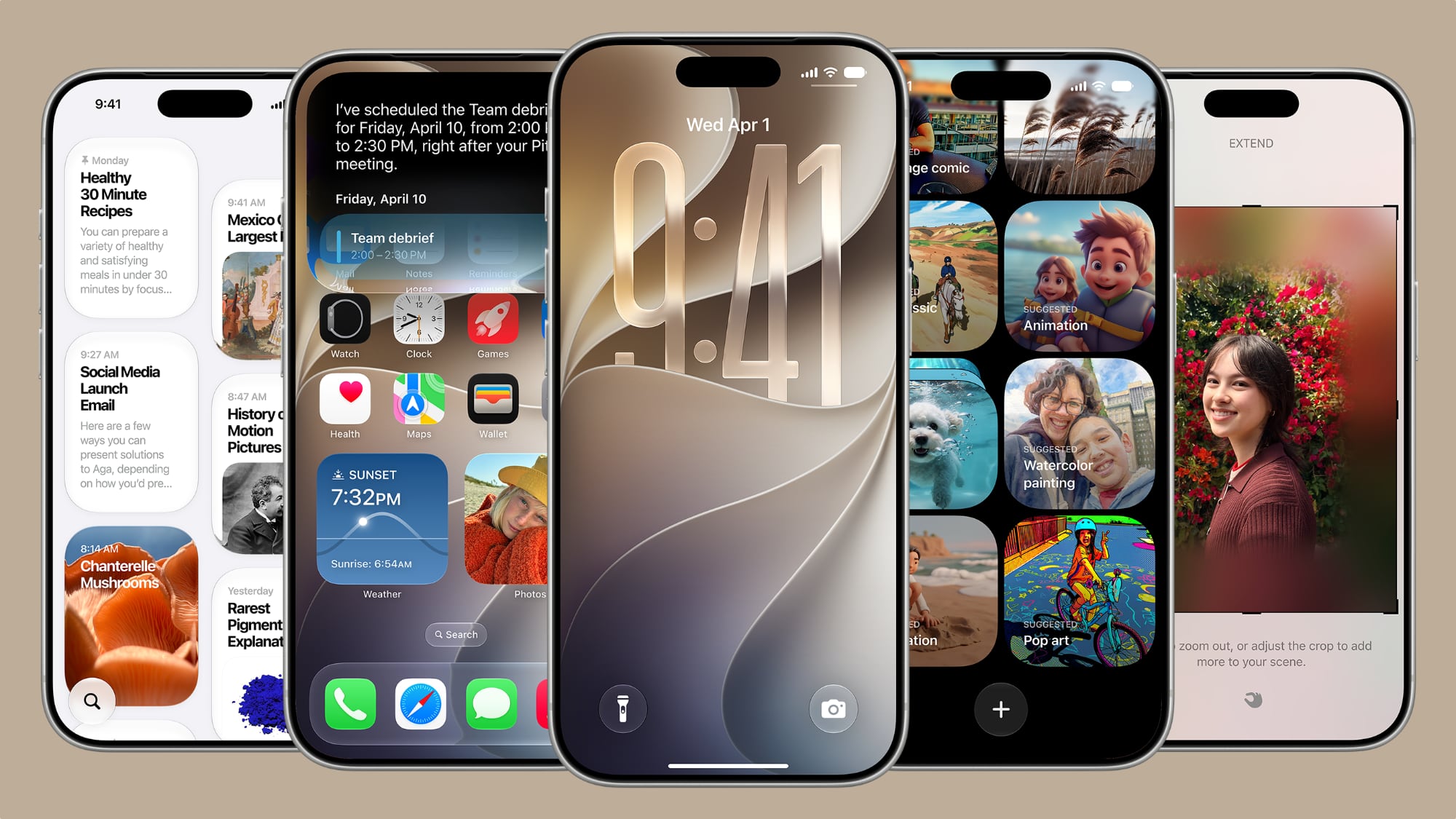
iOS 27 Is Bringing Major Lock Screen Upgrades to Your iPhone
Every year, Apple uses its Worldwide Developers Conference to pull back the curtain on the next major version of iOS, and WWDC 2026 was no different. iOS 27 arrived with a wave of announcements, and while the sweeping Siri overhaul dominated the headlines, there is a quieter but equally exciting story unfolding on your iPhone's Lock Screen. Apple has packed in several refinements that give users more creative control, smarter visual tools, and a cleaner overall experience than ever before.
Some of these changes are entirely new additions to iOS, while others build upon the groundwork Apple laid with iOS 26. Together, they represent a meaningful step forward in Lock Screen personalization — something iPhone users have come to expect and demand. Whether you plan to jump on the public beta next month or wait for the full release in the fall, here are the five Lock Screen features in iOS 27 that deserve your attention.
1. Extend Your Wallpaper with Apple Intelligence
One of the most visually impressive new additions in iOS 27 is the wallpaper extension feature, and it is powered by Apple Intelligence. Anyone who has ever tried to set a favorite photo as their Lock Screen wallpaper knows the frustration: the image is cropped too tightly, the aspect ratio doesn't quite match the iPhone's display, or awkward empty spaces appear around the edges. iOS 27 aims to solve all of that with a single tap.
The new "Extend" option analyzes the existing photo and uses generative AI to create additional image content around the edges. The result is a seamlessly expanded version of your original photo that fills the entire Lock Screen naturally, without forcing you into aggressive cropping or unwanted zoom. Apple Intelligence examines the colors, textures, and details in the original image and generates background content that blends in convincingly with what is already there.
This feature is accessible directly from the Lock Screen customization menu, but Apple has also brought it into the Photos app, meaning you can use it to expand images outside of the wallpaper context as well. It is a smart, practical use of on-device AI that solves a genuinely common user complaint.
2. Make the Clock Compact
Since iOS 16 introduced the ability to customize the Lock Screen clock with different fonts and colors, users have been asking for more layout flexibility. iOS 27 finally delivers on that request with a new compact clock mode. Found in the top-right corner of the Font & Color panel, this option moves the time display away from its traditional large, centered position on the screen.
The compact clock is a subtle but significant change for users who want their wallpaper to take center stage without a large time display dominating the view. It is particularly useful for anyone who uses elaborate or detailed wallpapers, where the oversized default clock can feel visually intrusive. With the compact option, the time stays visible and functional while receding into the corner, giving the rest of your Lock Screen more breathing room.
This kind of layout flexibility has been a long-requested feature, and its arrival in iOS 27 signals that Apple continues to listen to feedback about how people want to personalize their devices.
3. More Control Over Lock Screen Widgets
Lock Screen widgets have been a staple since iOS 16, but iOS 27 introduces expanded options for how they are arranged and displayed. Apple has refined the widget placement system to give users greater flexibility in choosing which information they want to see at a glance and where it appears on the screen. The updated widget experience is designed to work in harmony with the new compact clock mode, ensuring that your chosen widgets and time display complement one another rather than competing for space.
The overall goal is a Lock Screen that feels intentionally designed rather than assembled from default settings, and the improved widget system moves meaningfully in that direction.
4. Refined Liquid Glass Design Elements
iOS 26 introduced Apple's Liquid Glass design language, and iOS 27 continues to refine how those translucent, dynamic visual elements behave on the Lock Screen. Notifications, widgets, and UI panels have all received polish to ensure that the Liquid Glass aesthetic looks consistent and purposeful across different wallpapers and lighting conditions. Apple has addressed some of the visual feedback it received following the iOS 26 rollout, making the interface feel more cohesive and less jarring when switching between different Lock Screen setups.
5. Smarter Lock Screen Suggestions
Rounding out the list is an enhancement to Apple's proactive Lock Screen suggestions. iOS 27 improves the system's ability to surface relevant widgets and information based on your habits, time of day, and location — without requiring any manual setup. The intelligence powering these suggestions has been updated to feel more timely and accurate, so the right information appears on your Lock Screen when you actually need it rather than as an afterthought.
When Can You Try These Features?
iOS 27 is currently available to registered developers, with a public beta expected to roll out next month. The full, general release is anticipated in the fall, following Apple's typical September timeline. If you want to get hands-on with the new Lock Screen features as soon as possible, signing up for the public beta is your best option, though it is worth keeping in mind that beta software can contain bugs and unexpected behavior.
For everyday users who prefer to wait, the good news is that all five of these Lock Screen upgrades will arrive as a free software update to supported iPhone models. Apple has not yet confirmed the full list of compatible devices, but based on past patterns, any iPhone capable of running iOS 26 should be able to run iOS 27 as well.
Between the AI-powered wallpaper expansion, the new compact clock layout, improved widgets, refined Liquid Glass visuals, and smarter suggestions, the iOS 27 Lock Screen is shaping up to be the most customizable and intelligent version Apple has ever shipped. Keep an eye out for the public beta, and start thinking about which of these features you will want to try first.