
iPadOS 27's AI-Powered Shortcut Builder Finally Makes Automations Accessible to Everyone
Apple's Shortcuts app has long been one of the most powerful tools hiding in plain sight on iPad and iPhone. For years, it has offered users the ability to automate complex workflows, control smart-home devices, manage files, and connect apps in creative ways. But there has always been one stubborn barrier standing between most users and that power: complexity. Building a useful shortcut has traditionally required a working understanding of actions, variables, inputs, and outputs — concepts that are second nature to developers but intimidating to everyday users.
That changes with iPadOS 27. Apple's latest operating system introduces an AI-driven shortcut builder powered by Apple Intelligence, and it fundamentally reimagines how users interact with one of the platform's most capable — and most underused — features. Now, instead of piecing together a workflow action by action, users simply describe what they want in plain English and let the system do the heavy lifting.
What Is the New Shortcut Builder in iPadOS 27?
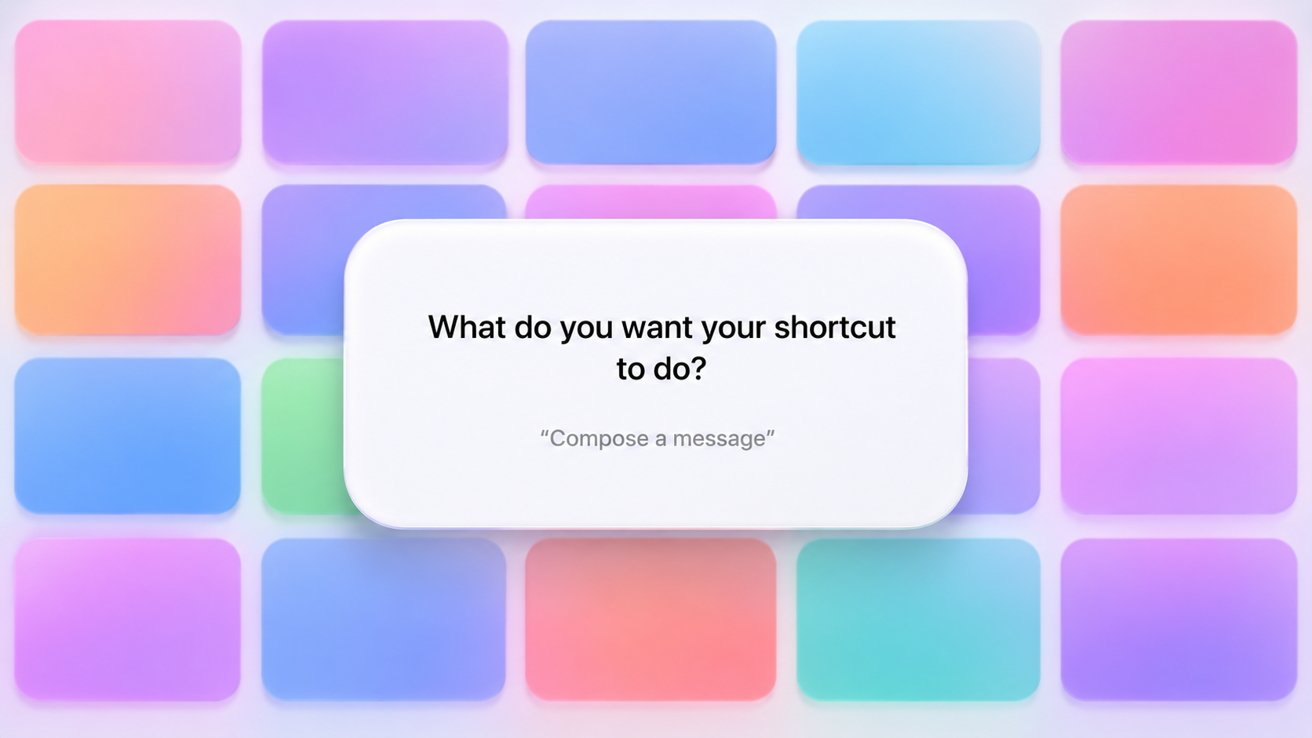
The new Shortcuts generator in iPadOS 27 is built directly into the Shortcuts app and is powered by Apple Intelligence, Apple's on-device and cloud AI framework. When users open the app and tap to create a new shortcut, they are now greeted with a straightforward prompt: "What do you want your shortcut to do?"
From there, users can type — or dictate — a plain-language description of the automation they have in mind. Apple Intelligence interprets that description and generates a working shortcut workflow tailored to the request. The generated shortcut then opens inside the familiar Shortcuts editor, where users can review, adjust, and refine every action just as they always could.
This approach is a significant departure from the traditional build-from-scratch workflow. Rather than hunting through a library of hundreds of actions and figuring out how to connect them, users now have a starting point that is already functional. Refinement replaces construction as the primary task, which dramatically lowers the barrier to entry.
How Apple Intelligence Translates Language Into Workflow Logic
The process of turning a plain-English prompt into a structured automation workflow is more sophisticated than it might appear. Apple Intelligence needs to parse the intent behind a request, identify the relevant apps and actions involved, understand any conditions or variables that apply, and assemble those elements into a logical sequence that actually executes correctly.
For example, a user might type something like "Every morning, send me a summary of my calendar events and check the weather." Apple Intelligence would need to recognize that this involves a time-based trigger, calendar data, weather data, and a notification or message action — and then wire all of those together in the right order. The result is a usable draft that the user can then fine-tune.
This is the same kind of natural language processing that Apple Intelligence brings to other areas of iPadOS 27, from writing tools to image generation. Applied to Shortcuts, it transforms the app from a power-user playground into something genuinely approachable for a much wider audience.
Why This Matters: Shortcuts Has Always Had an Accessibility Problem
Despite years of refinement and a major redesign when Apple acquired the Workflow app back in 2017, Shortcuts has consistently struggled to reach beyond a dedicated niche of technically inclined users. The core promise — automation for everyone — never quite matched the reality of using the app.
The visual, drag-and-drop interface helped, but learning what each action does, how data passes between steps, and how to handle errors or conditional logic still required a meaningful time investment. Many users who tried Shortcuts once and found it confusing never returned. That represents a significant loss, because the kinds of automations Shortcuts can create — automatically organizing photos, sending templated messages, running multi-app workflows with a single tap — are genuinely useful for almost anyone.
The plain-English builder addresses this directly. It removes the blank-canvas problem by giving users a draft to work from, and it eliminates the need to know the vocabulary of the Shortcuts app before you can do anything useful with it.
What to Keep in Mind When Using the AI Shortcut Builder
As promising as the new feature is, there are a few things worth keeping in mind as you explore it.
- Generated shortcuts are a starting point, not a finished product. Apple Intelligence produces a draft based on your description, but complex or highly specific automations may require manual adjustments in the editor before they work exactly as intended.
- Prompt clarity matters. The more specific and detailed your description, the more accurately the AI can interpret your intent. Vague prompts may produce shortcuts that are functional but not quite what you had in mind.
- Review before running. It is always good practice to inspect any generated workflow before executing it, especially if it involves sending messages, modifying files, or controlling smart-home devices.
- The editor is still your friend. The existing Shortcuts editor remains fully accessible, so advanced users who want to go deeper have everything they need to customize and extend any AI-generated workflow.
A Glimpse at the Bigger Picture
The AI shortcut builder is part of a broader effort by Apple to make iPadOS 27 more intelligent and more intuitive across the board. Apple Intelligence is woven into writing, search, images, and now automation — signaling that Apple sees natural language as a foundational interface layer for the future of its platforms.
For iPad users specifically, this kind of automation capability matters more than ever. As iPads take on increasingly laptop-like roles in users' daily workflows, the ability to automate repetitive tasks and create custom tools becomes a genuine productivity advantage. Making that capability accessible through plain English is a smart and overdue move.
Should You Try the New Shortcut Builder?
Absolutely — especially if you have looked at Shortcuts before and walked away feeling overwhelmed. The new AI-powered builder in iPadOS 27 removes the steepest part of the learning curve and lets you start experiencing the real value of automation much faster. Even if your first few generated shortcuts need some tweaking, the process of reviewing and refining an existing workflow teaches you far more about how Shortcuts works than staring at an empty canvas ever could.
With iPadOS 27, Apple has made one of its most powerful productivity tools genuinely inviting. That is a meaningful upgrade — not just for new users, but for anyone who has wanted to do more with their iPad and simply did not know where to start.