
Apple Officially Kills Time Capsule Support in macOS 27
For years, Apple's Time Capsule served as a beloved tool for Mac users who wanted a seamless, wireless backup solution right in their home network. But with the release of macOS 27, Apple has officially pulled the plug — dropping support for the Apple Filing Protocol (AFP), the underlying technology that made Time Capsule work. If you're still holding onto one of these devices and recently upgraded to macOS 27, you've likely already noticed things aren't working the way they used to. Here's a comprehensive look at what happened, why it matters, and most importantly, what you can do about it.
What Was Time Capsule and Why Did It Matter?
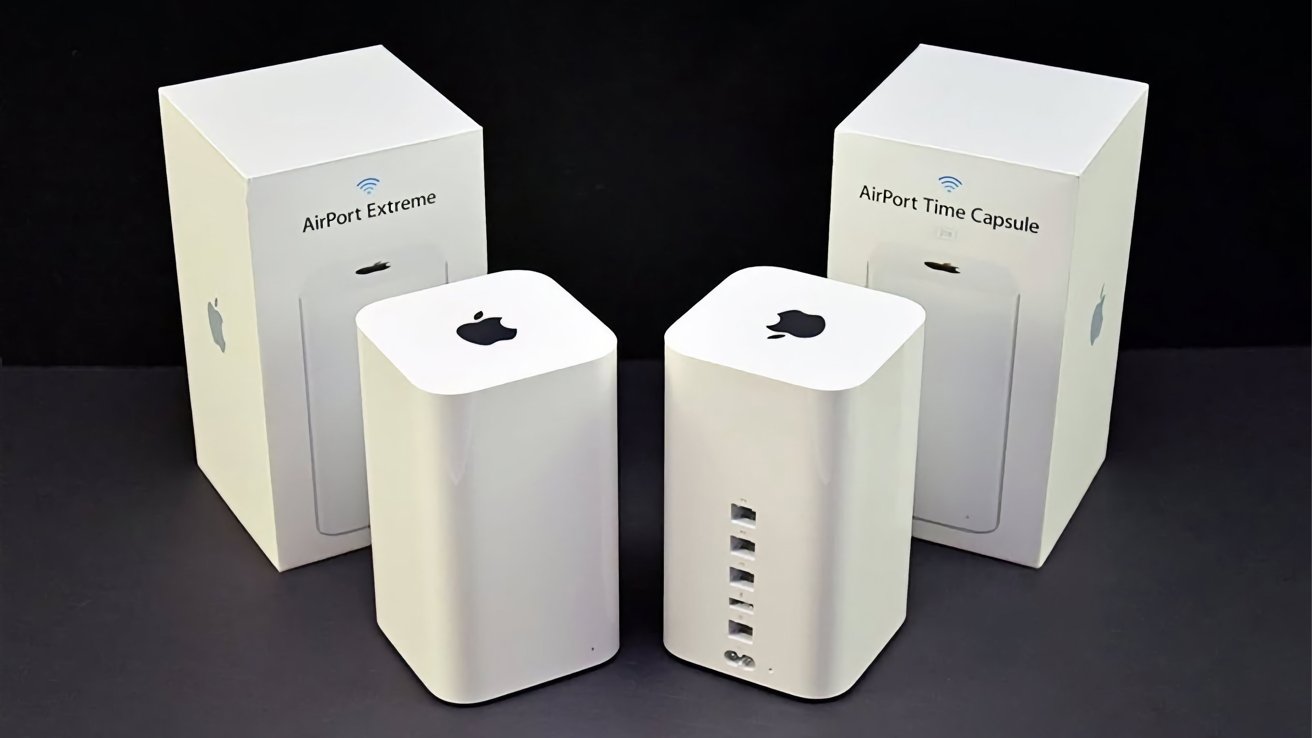
Apple's Time Capsule was a dual-purpose device that combined a Wi-Fi router with a built-in hard drive, enabling Mac users to back up their computers wirelessly over a home network using Time Machine. At its peak, it was one of the most elegant home backup solutions available — requiring virtually no configuration and working silently in the background to protect user data.
Despite Apple discontinuing the Time Capsule hardware several years ago alongside the rest of its AirPort product line, software support continued surprisingly long. Even as the physical devices became obsolete and unavailable for purchase, macOS continued to recognize and support them all the way through macOS 26. That's a remarkable run for a discontinued product, but macOS 27 finally marks the end of the road.
Understanding AFP: The Protocol at the Heart of the Issue
The reason Time Capsule no longer works in macOS 27 comes down to one thing: the removal of AFP, or Apple Filing Protocol. AFP was Apple's proprietary network file sharing protocol, developed decades ago to allow Macs to communicate with network-attached storage devices and file servers. Time Capsule relied heavily on AFP to facilitate Time Machine backups over Wi-Fi.
The writing has been on the wall for some time. As far back as macOS Sequoia 15, Apple explicitly warned developers and users that AFP support was being deprecated and would be removed in a future macOS release. Apple has been transitioning away from AFP toward more modern protocols like SMB (Server Message Block) for years, and macOS 27 represents the final step in that transition. A notice embedded in macOS 26 warned users specifically about the upcoming end of support for AirPort Disk and Time Capsule disk functionality, giving those still relying on the hardware at least a brief window to prepare.
What macOS 27 Means for Current Time Capsule Owners
If you upgrade to macOS 27, your Time Capsule will no longer be able to serve as a Time Machine backup destination. The wireless backup feature that defined the product simply won't function. Your device might still operate as a Wi-Fi router — since that functionality doesn't depend on AFP — but its storage capabilities will be inaccessible for backup purposes through the native macOS tools.
For many users, this is a significant disruption. While the hardware has been discontinued for years, a large number of Mac owners continued relying on their Time Capsules because the devices still worked perfectly well and there was no compelling reason to replace them. macOS 27 has now provided that reason, whether users wanted it or not.
Can You Keep Your Time Capsule Hardware Alive?
Here's the silver lining: even though native macOS 27 support is gone, the physical Time Capsule hardware doesn't have to become a paperweight. There are several ways to repurpose or revive the device, depending on your technical comfort level and how you want to use it going forward.
Use It as a Wi-Fi Router Only
The most straightforward option is to continue using your Time Capsule purely as a wireless router, ignoring the built-in storage entirely. If your networking needs are modest and you don't require bleeding-edge Wi-Fi speeds, the AirPort hardware can still function competently in this role without requiring AFP at all.
Repurpose the Drive With Third-Party Software
Some users have found success accessing the internal drive of their Time Capsule using third-party utilities and alternative protocols. By connecting the device to a Mac and using software that can communicate over SMB or other supported protocols, it may be possible to access stored files even on macOS 27. This approach is more technical but can help you retrieve existing backup data or repurpose the storage for general file access.
Open the Hardware and Extract the Drive
For those comfortable with a bit of hardware work, the internal hard drive inside a Time Capsule can be physically removed and placed into an external USB enclosure. Once extracted, the drive functions like any standard external hard drive, and you can connect it directly to your Mac, access your old backups, or use it for general storage purposes.
Explore Third-Party Backup Solutions
If wireless Time Machine backups were your primary use case, it's time to look at modern alternatives. Network-attached storage (NAS) devices from brands like Synology and QNAP fully support Time Machine over SMB, are compatible with macOS 27, and offer considerably more storage capacity and features than the original Time Capsule ever did. Many are comparably priced when considering storage size, and setup is straightforward for home users.
Planning Your macOS 27 Backup Strategy
Regardless of how you handle the Time Capsule situation, macOS 27 is a good prompt to revisit your overall backup strategy. Apple's Time Machine remains a powerful and reliable tool — it simply needs a modern, AFP-free storage destination. Options include a directly connected USB drive, a compatible NAS device, or cloud-based backup services.
- A USB external hard drive connected directly to your Mac is the simplest and most reliable Time Machine destination and works seamlessly with macOS 27.
- A modern NAS device supporting SMB offers a wireless backup experience similar to what Time Capsule once provided, with significantly better performance and capacity.
- Cloud backup services can complement local backups, providing off-site protection for your most critical files in case of hardware failure or loss.
The End of an Era for AirPort and Time Capsule
Apple's decision to remove AFP in macOS 27 is the final chapter in a story that began years ago when the company quietly discontinued its entire AirPort product line. The Time Capsule, the AirPort Extreme, and the AirPort Express were once central to the Apple home networking experience, offering tight integration and effortless setup that third-party products struggled to match.
Apple's pivot away from these products reflected a broader industry shift toward faster, more capable Wi-Fi standards and the recognition that third-party vendors had more than caught up. The removal of AFP is simply the last domino to fall — a necessary housekeeping step as Apple moves fully into a modern networking landscape built on open, widely-supported protocols.
For longtime Mac users, it's a nostalgic loss. But with solid alternatives available and Apple's own Time Machine backup system still working well on macOS 27, there's no reason for your data to go unprotected. The hardware may be legacy, but your backup habits don't have to be.